Skills / arabic-rtl
arabic-rtl
Add full Arabic and right-to-left support to a web app (Next.js App Router and Tailwind first), covering locale routing, dir, logical CSS, mirroring, Arabic typography, numbers, dates, plurals, mixed-direction text, forms, translation and visual QA. Use when the user asks to add Arabic, RTL, or localize an app for Arabic speakers. Don't use for translating a single document.
- Author
- agentsaisle
- Latest
- v0.1.1
- Aisle
- i18n, web
- Works with
- Claude Code, Codex, Cursor
- Source
- HazemSalah29/agentsaisle
- Stars
- 2
Install
Install arabic-rtl
npx @agentsaisle/cli add arabic-rtlInstalls into your project's skills folder. Add --global to install it for every project.
Preview
The same demo site before and after this skill: English on the left, Arabic on the right. The Arabic text is a machine-written draft that no native speaker has reviewed yet. These screenshots show a result, not a measured number.
Home
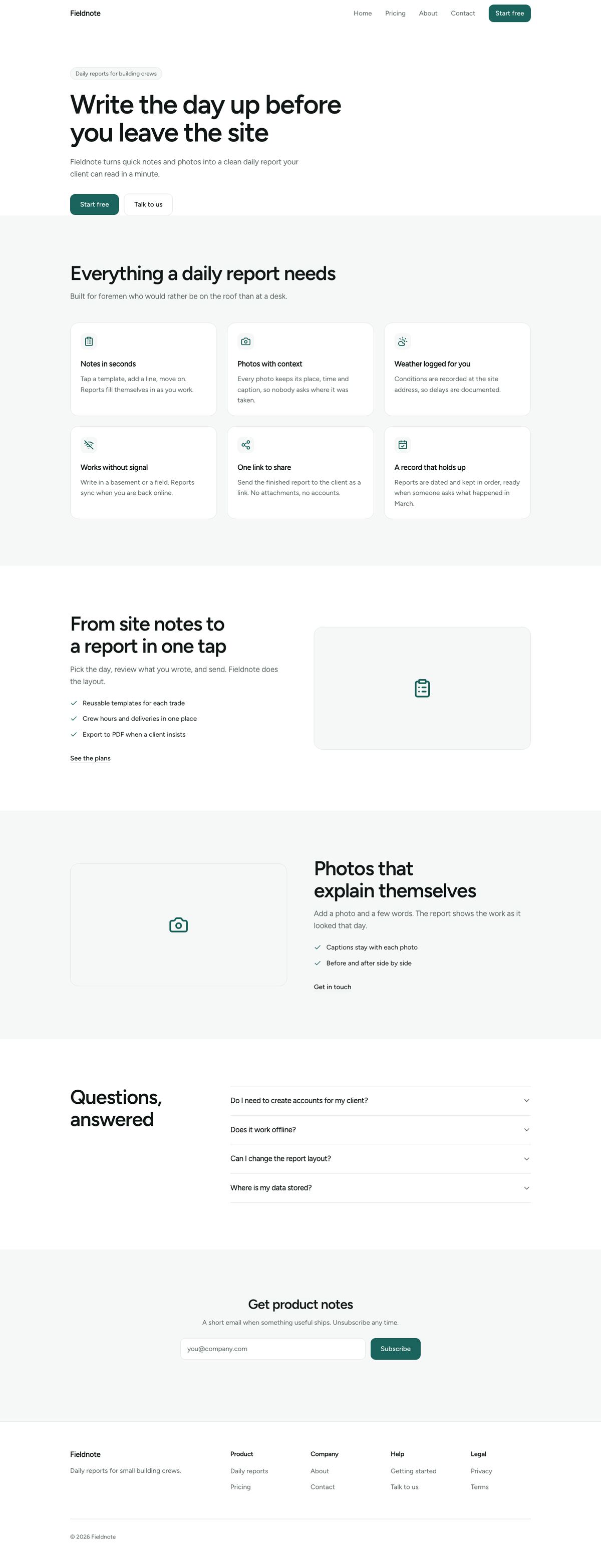
English 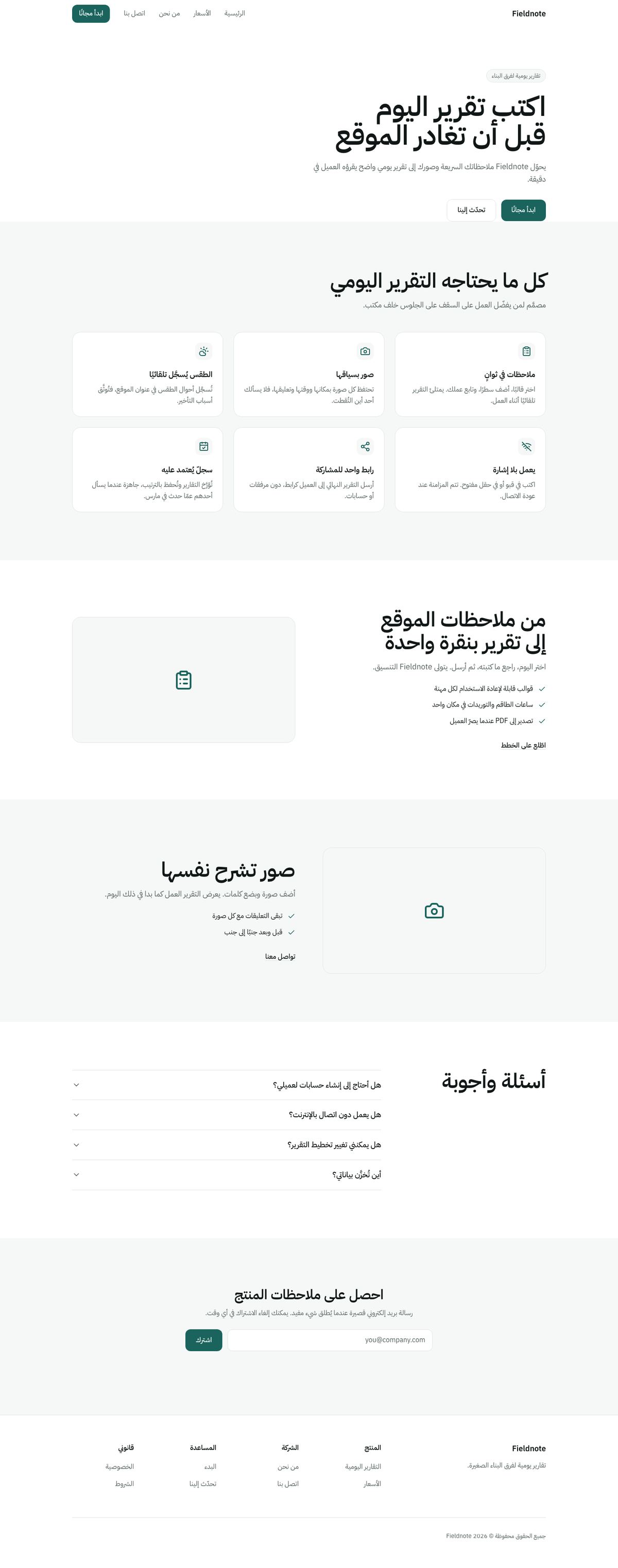
Arabic Pricing
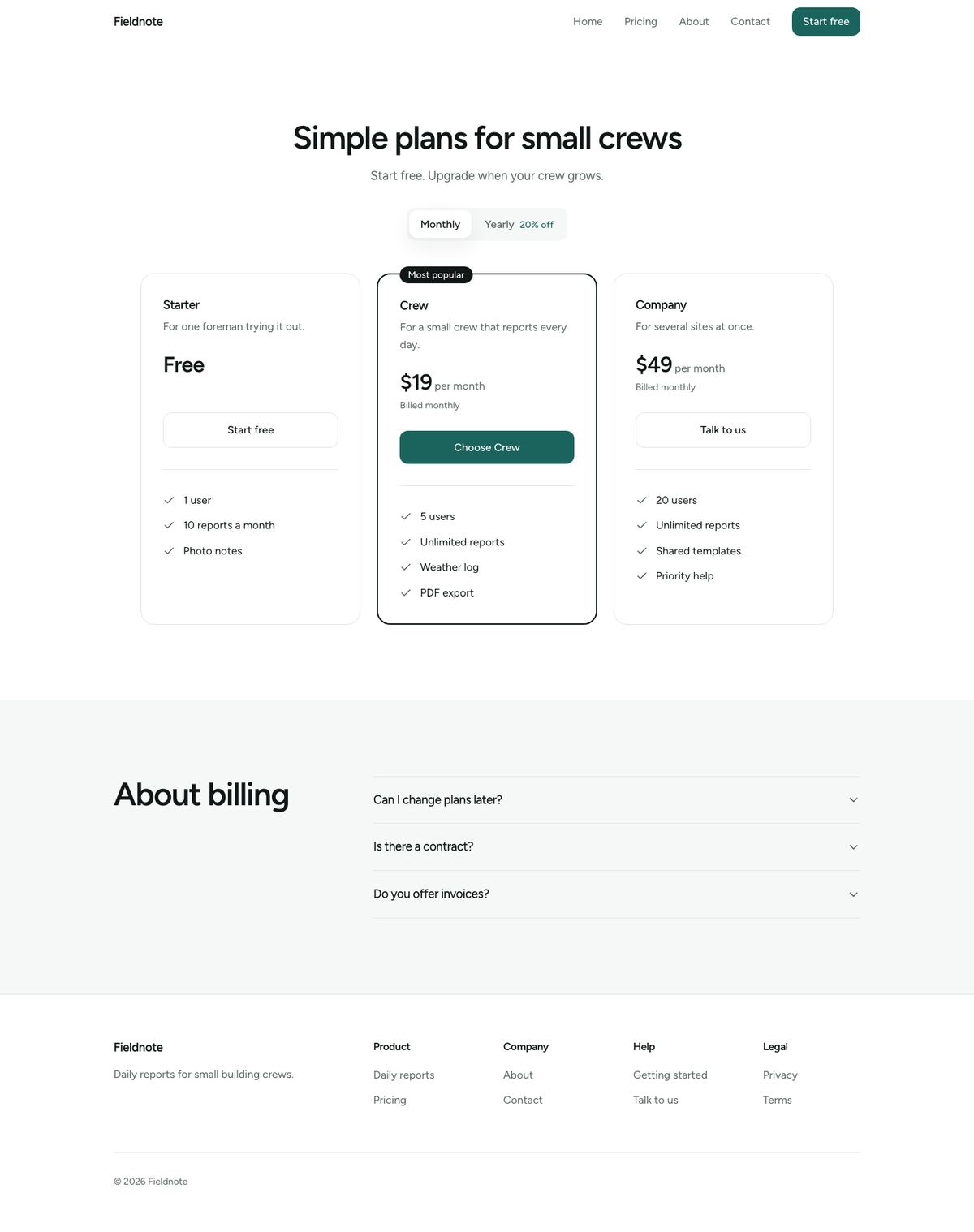
English 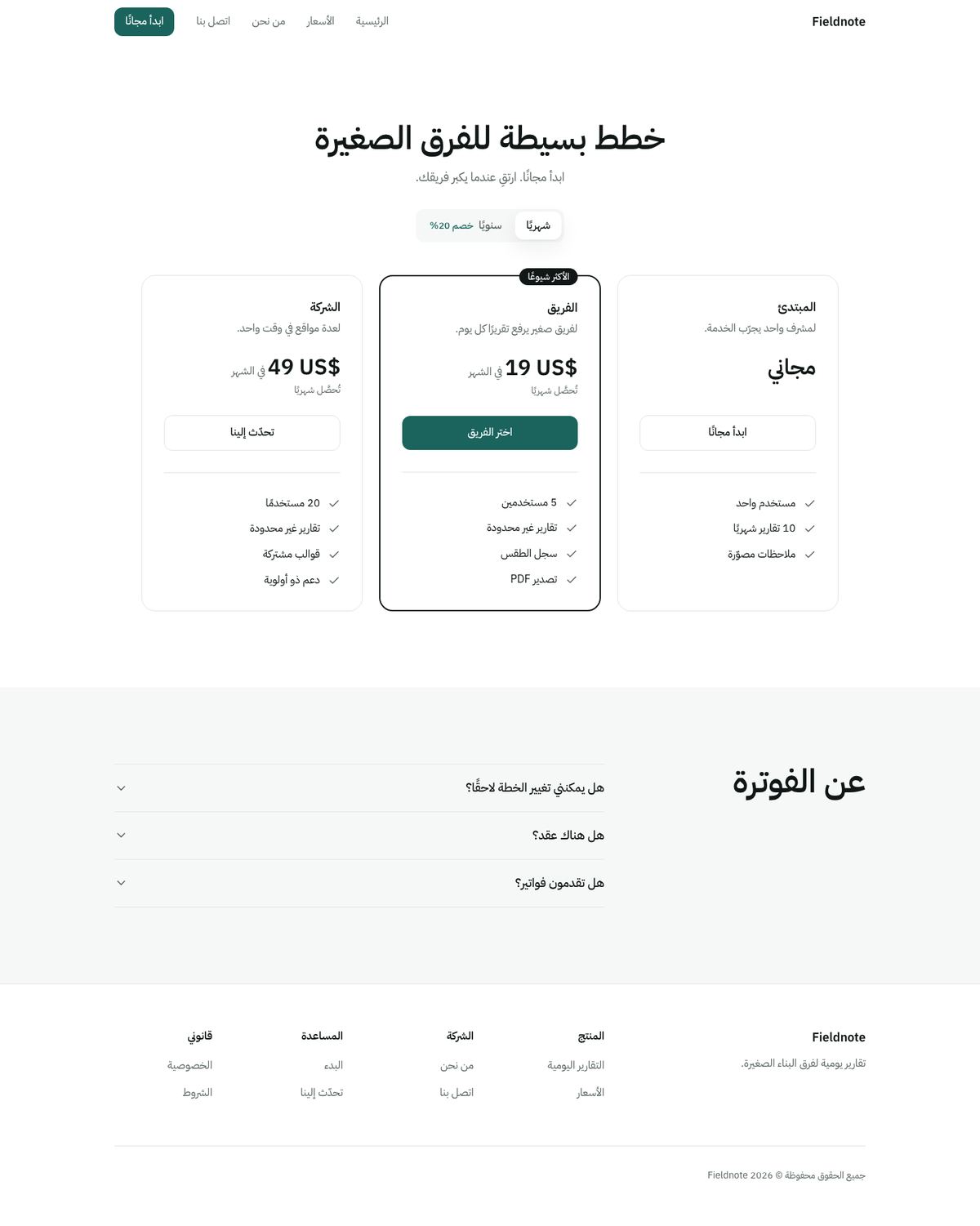
Arabic About
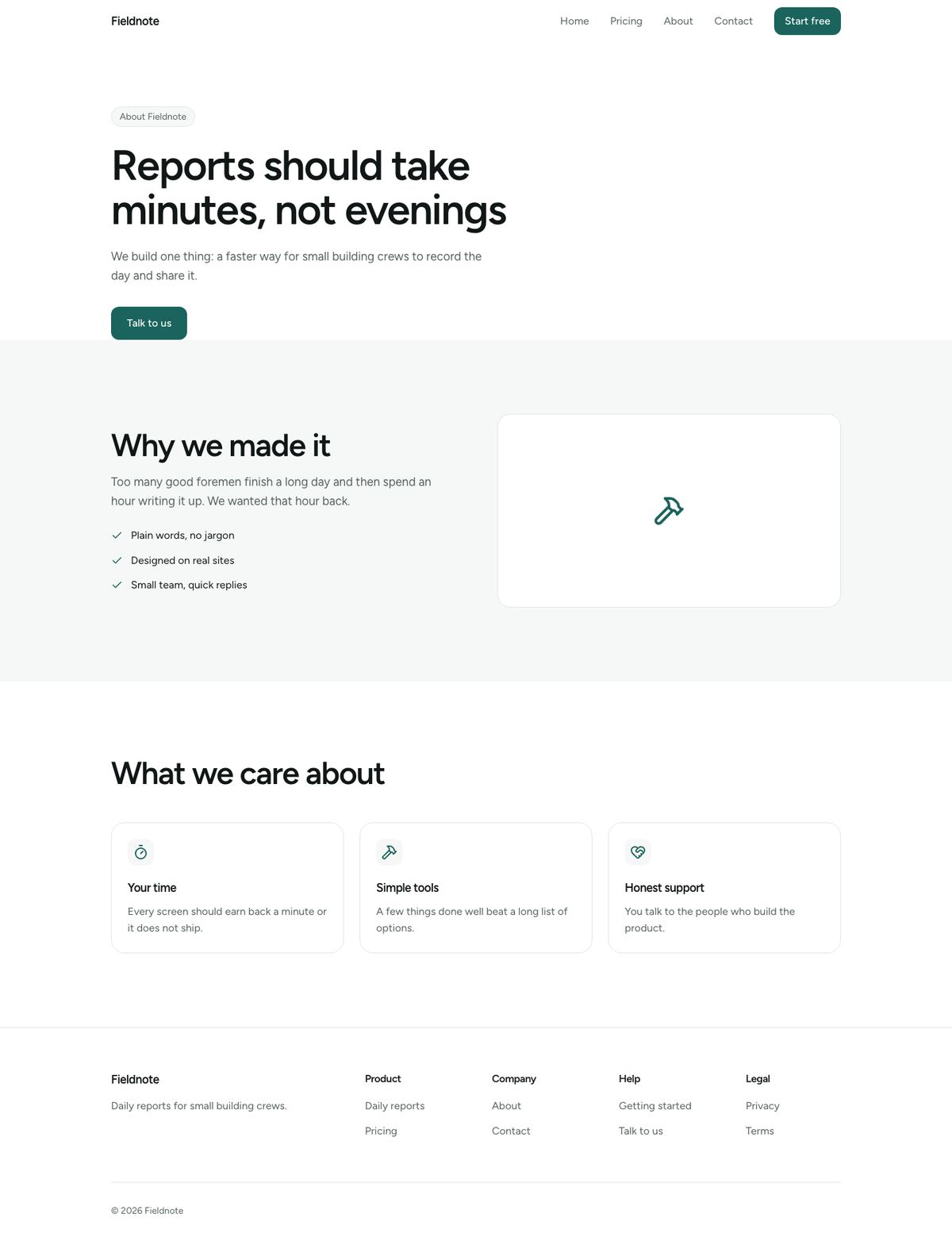
English 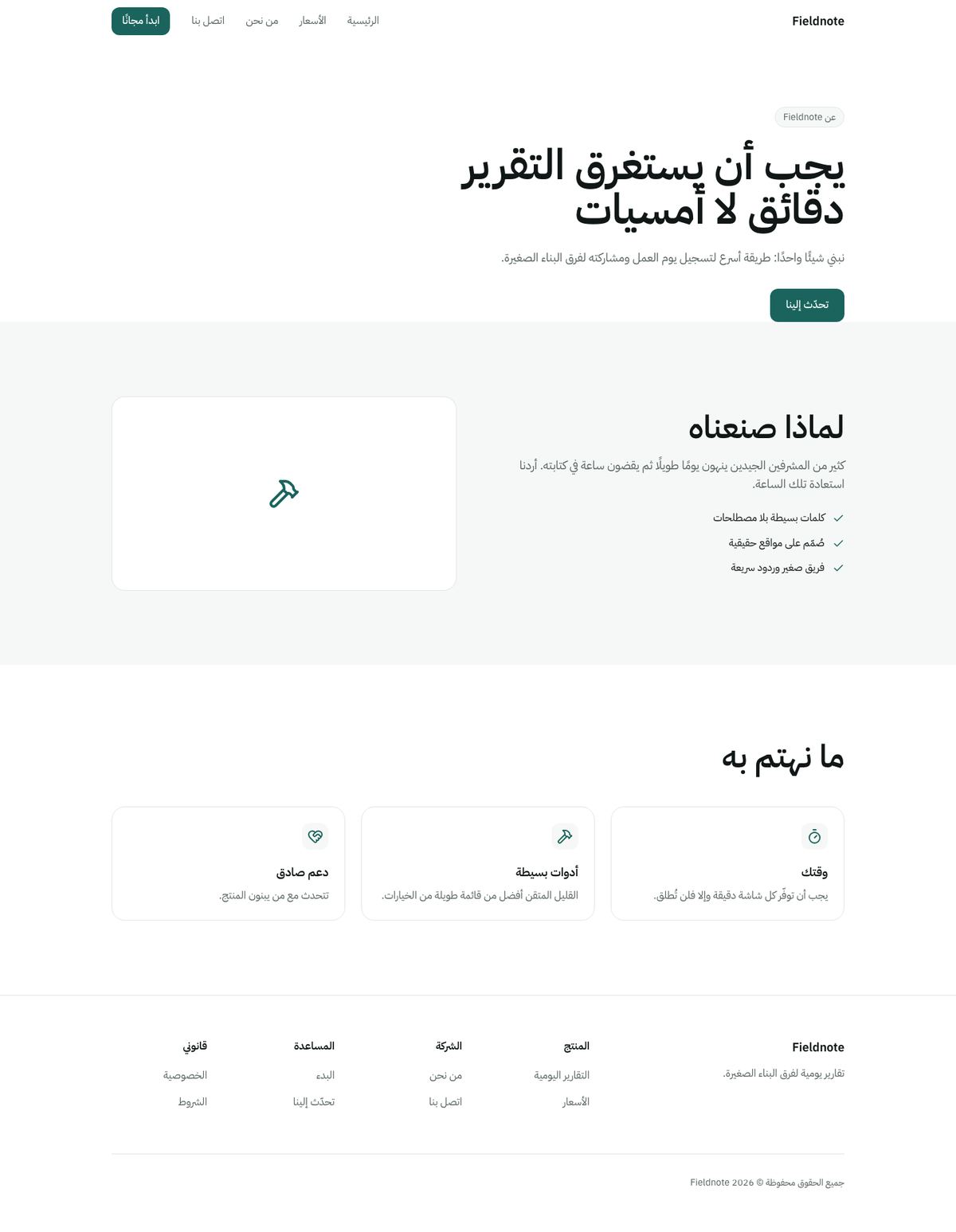
Arabic Contact
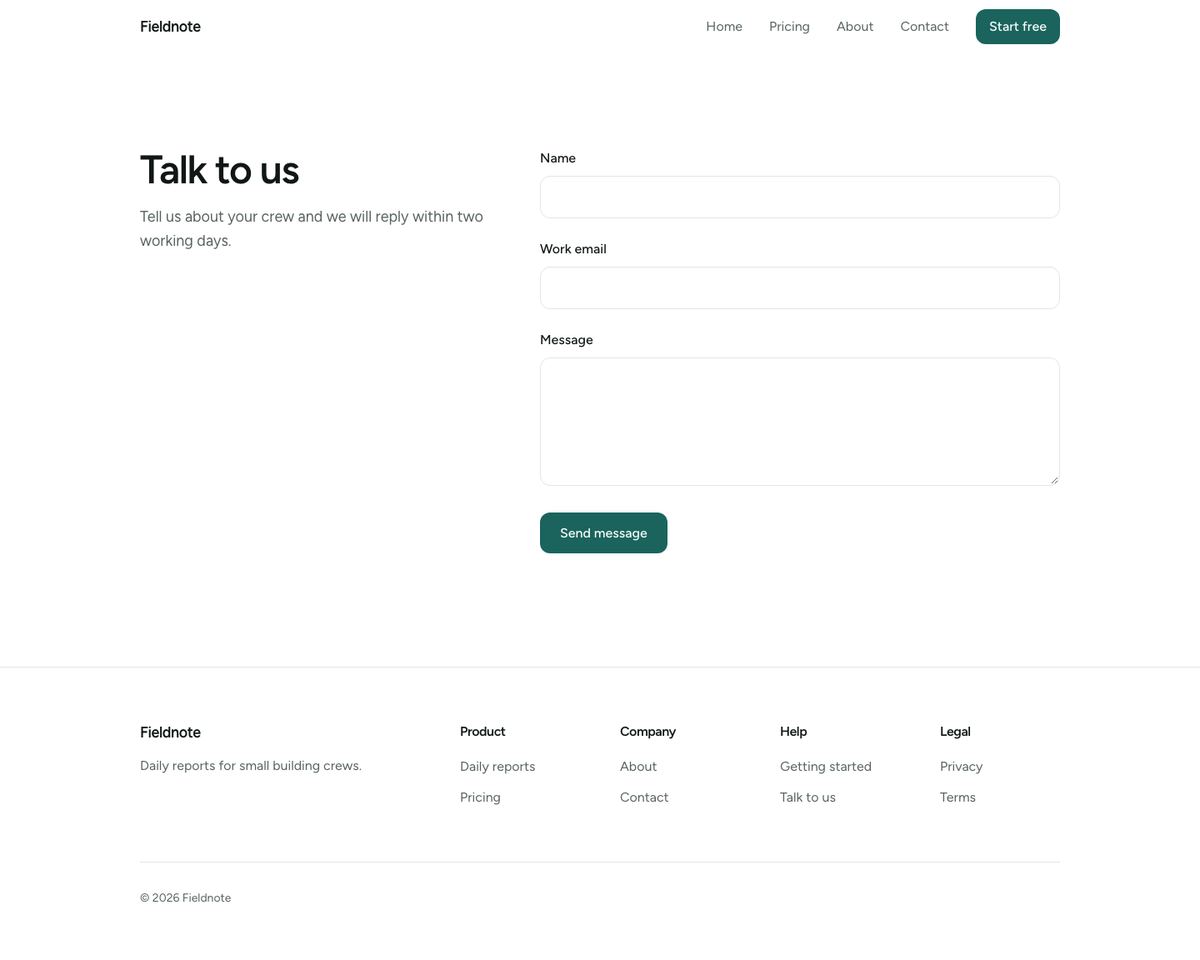
English 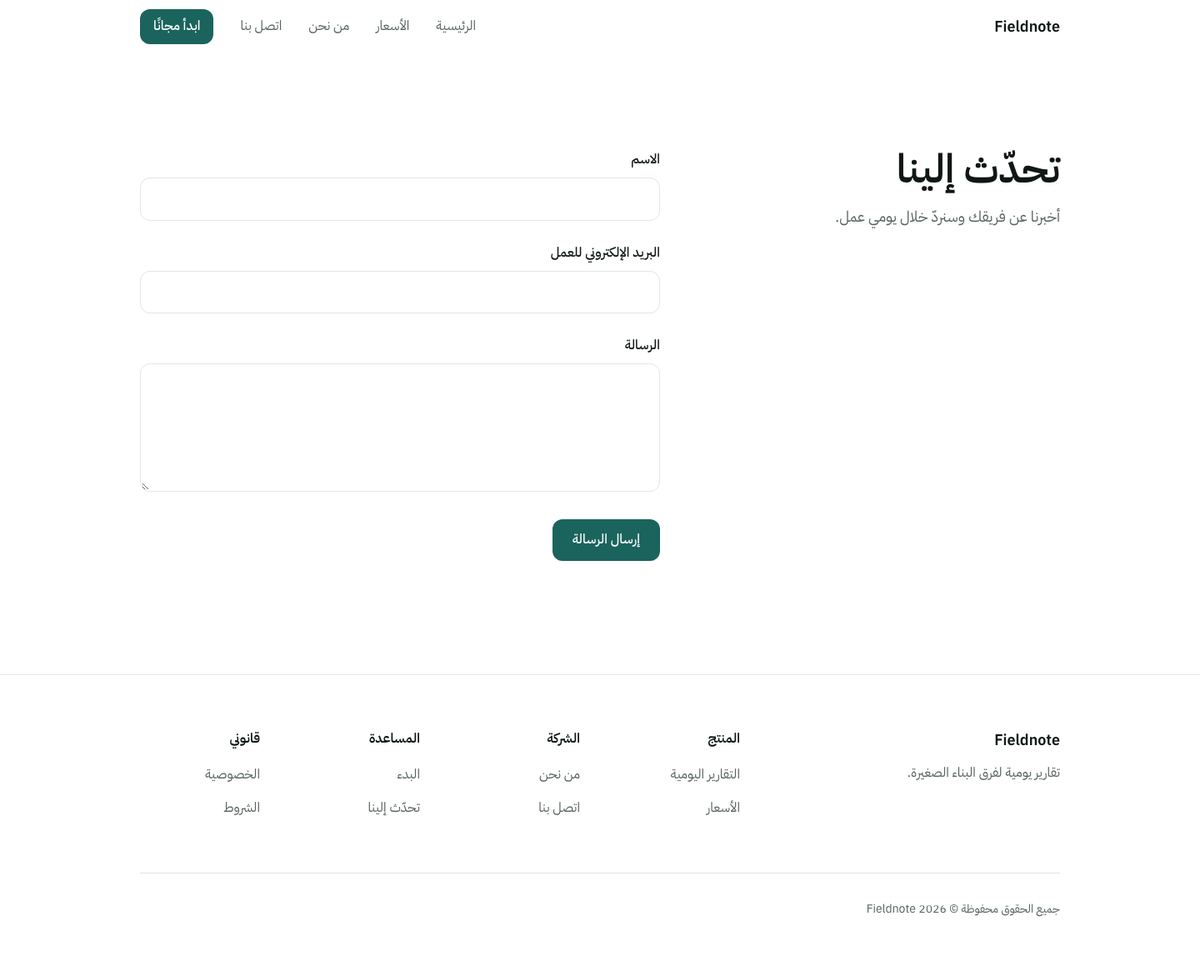
Arabic
Home phone

English 
Arabic Pricing phone

English 
Arabic
Runs scriptsThis skill includes scripts
Your agent may run these scripts on your machine. A maintainer has read every one in full, and the CLI lists the files when you install. You can read them on GitHub first.
Read the files on GitHubAudit
- Critical
- 0
- High
- 0
- Medium
- 0
- Low
- 0
58 files · audited 2026-10-29 · rules 1.0.0
No findings.
What this skill can use
Tools
- Read
- Write
- Edit
- Glob
- Grep
- Bash(node *)
- Bash(npx playwright *)
- Bash(pnpm *)
- Bash(npm run *)
- Bash(npm install *)
Scripts
- assets/DirectionalIcon.tsx
- assets/LocaleSwitcher.tsx
- assets/fonts.ts
- evals/fixture-app/app/layout.tsx
- evals/fixture-app/app/page.tsx
- evals/fixture-app/components/Carousel.tsx
- evals/fixture-app/components/CartSummary.tsx
- evals/fixture-app/components/ContactForm.tsx
- evals/fixture-app/components/ProductCard.tsx
- evals/fixture-app/components/Sidebar.tsx
- evals/fixture-app/next.config.ts
- evals/fixture-app/postcss.config.mjs
- scripts/_classmap.mjs
- scripts/_lib.mjs
- scripts/i18n-candidates.mjs
- scripts/i18n-config.mjs
- scripts/rtl-codemod.mjs
- scripts/rtl-scan.mjs
- scripts/screenshot-rtl.mjs
- scripts/translate-check.mjs
Domains mentioned
- example.com
Automated checks found no known risky patterns. This is not a guarantee of safety. How audits work · Read the rules
Show this grade in a README
The badge updates when the registry is rebuilt. Paste this Markdown into the README:
[](https://agentsaisle-vercel.vercel.app/skills/arabic-rtl)SKILL.md
Rendered from commit 823cfe8
Arabic + RTL
Use when
- Adding Arabic to an existing app, or making an Arabic-first app RTL-correct.
Don't use when
- One-off text translation, or apps without a web UI.
- The app is not Next.js or Tailwind: read
references/other-frameworks.mdfirst and tell the user what the scripts will not cover.
Steps
- Run
node <skill>/scripts/i18n-config.mjs --check. Ifi18n.config.jsonis missing, ask only the decisions inreferences/decisions.mdthat the user has not answered, then run it with--initand the answers. - Detect the stack: framework, Next.js and Tailwind versions, any existing i18n library. Read only the references you need.
- Setup (no i18n yet): follow
references/i18n-nextjs.md. Setlanganddiron<html>. Copyassets/fonts.ts,assets/LocaleSwitcher.tsxandassets/DirectionalIcon.tsx. Startmessages/fromassets/messages/*.jsonandassets/glossary.ar.yaml. - Run
node <skill>/scripts/rtl-codemod.mjs(dry run). Review the summary, then run it with--write. Fix the classes it lists for manual review by hand. - Run
node <skill>/scripts/rtl-scan.mjs. Fix everyerror; reviewwarns. Fix physical CSS it reports by hand.- If a script prints
NOTE: skipped ... (a design kit folder), the layout classes and strings of a kit copied into the project (src/components/kit) were not checked. Tell the user in one line, then run steps 4, 5 and 7 again with--include-kit.
- If a script prints
- Mirroring: wrap directional icons in
DirectionalIconperreferences/mirroring.md. - Strings: run
node <skill>/scripts/i18n-candidates.mjs(it also lists copy passed as props, object values and ternaries). Move strings tomessages/en.jsonfile by file, then translate intomessages/ar.jsonwith the glossary andreferences/translation.md. Writetranslation-review.mdfor uncertain strings. - Numbers, dates, currency and plurals per
references/numbers-dates.md; isolate mixed-direction text perreferences/bidi.md; fix forms perreferences/forms.md. - Run
node <skill>/scripts/translate-check.mjs, the project's build and checks, thennode <skill>/scripts/screenshot-rtl.mjsagainst the running app. View the en and ar shots side by side at both widths and fix what you see (references/qa-checklist.md). - Tell the user that
rtl-checkcan keep new code RTL-safe, and that a native speaker should review the translations.
Budget
-
Search first (grep, glob, symbol search). Read line ranges, not whole files.
-
Read at most 8 files per step. If you need more, write down what you learned and narrow the question.
-
Do not re-read a file you just wrote or edited.
-
Prefer the smallest command output that answers the question: head, tail, quiet flags, filtered lists.
-
Let the scripts find problems; do not read every file looking for physical classes.
-
Never run a script with
--writewithout a clean dry run first.
Output
- Config used, files changed (count and notable ones), scan counts before and after, untranslated or uncertain strings, screenshot paths, and the translation-review reminder.
Done when
- rtl-scan reports 0 errors. translate-check passes. The build and project checks pass.
- en and ar screenshots were reviewed at 1440 px and 390 px, with no horizontal overflow in ar.
- The Arabic font loads, no letter-spacing is applied to Arabic, and plural messages cover all six categories.
Version history
| Version | Commit | Install |
|---|---|---|
| 0.1.1latest | 823cfe8 | add arabic-rtl |